
Published September 26, 2026 · 8 min read · Cut through the feature lists and focus on what makes hosting easier
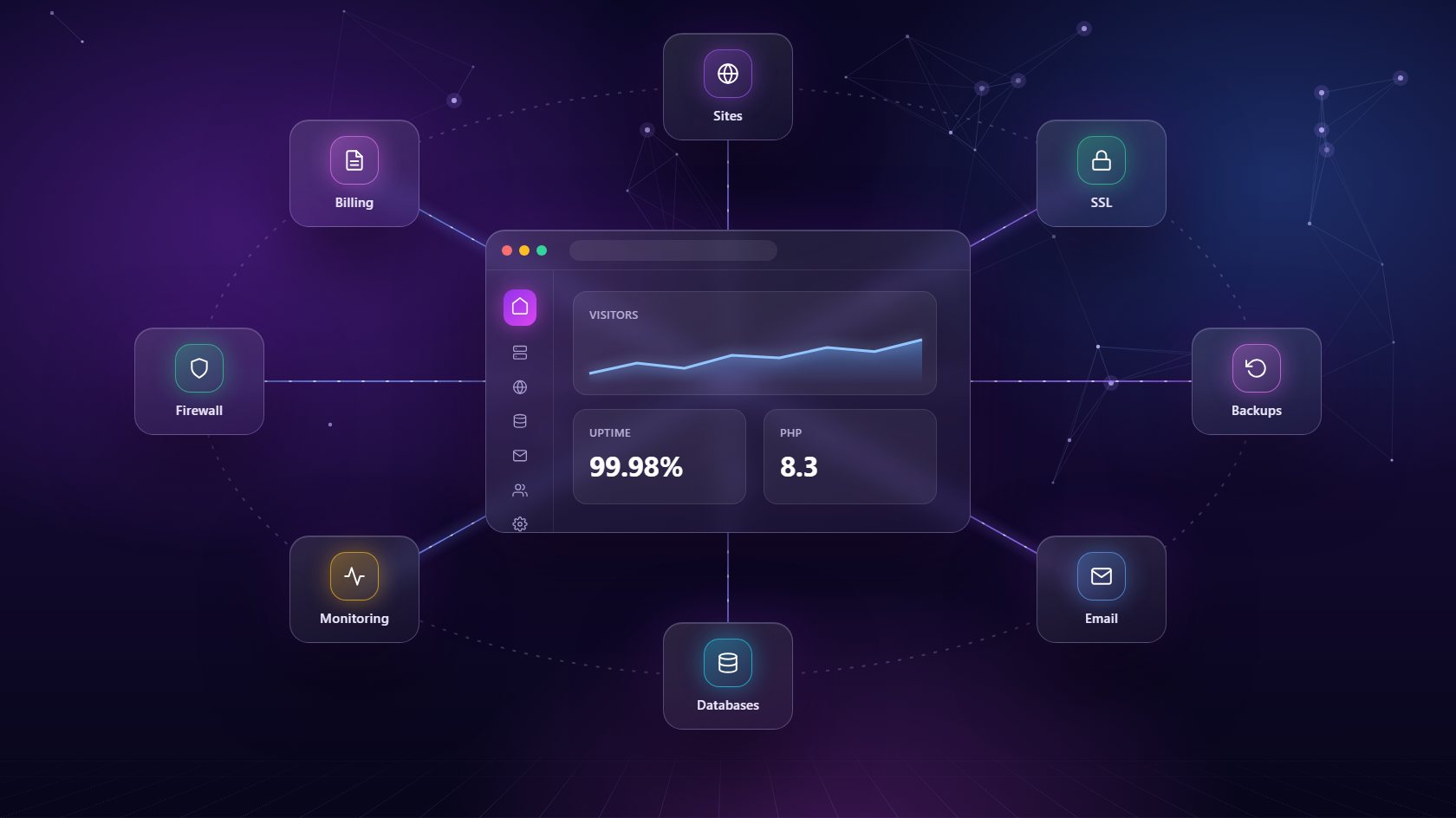
Every web hosting control panel promises to make hosting easy. Read a few feature pages, though, and they all start to blur together - long lists of icons, acronyms and "unlimited" everything. The truth is that only a handful of features decide whether a panel makes your life easier or quietly adds to your workload. Here are the ones that matter most, explained in plain language, so you can compare any web hosting control panel with confidence.
The first thing to check in any web hosting control panel is how it keeps sites apart. On a poorly built panel, every website shares the same user, the same PHP process and the same file permissions. That means one hacked plugin or one runaway script can slow down or infect every other site on the server. Proper isolation gives each site its own environment, so problems stay where they started.
Right after isolation comes app support. Your panel should handle the stacks you actually use, not just the ones that were popular ten years ago. That usually means WordPress, Laravel and plain PHP, plus Node.js for modern apps. Being able to pick a PHP version per site is a big deal too. One client's old theme may need PHP 7.4 while a new build runs on 8.3, and you shouldn't need two separate servers to keep both happy. A good web hosting control panel lets you switch versions with a click and rebuilds the environment safely in the background.
In 2026 there is no excuse for a website without HTTPS. Browsers warn visitors away from insecure sites, and search engines treat security as a basic signal of quality. Your web hosting control panel should issue a free SSL certificate the moment a site is created and renew it automatically, forever. If you ever have to remember a renewal date, the panel isn't doing its job.
Domains deserve the same simple treatment. Pointing a domain at a site, adding a subdomain or setting up a redirect should take seconds, not a support ticket. Panels that connect directly to a DNS provider such as Cloudflare save even more time, because you can manage records, caching and the CDN from the same place you manage the site itself. When a client asks you to move their site to a new domain or add a staging subdomain, you want that to be a quick task you finish during a coffee break - not an afternoon of switching between tabs and waiting for changes to spread.
Backups are the feature nobody thinks about until the day they desperately need one. A plugin update breaks a checkout page, a client deletes the wrong folder, or a server disk fails. In each case, the only question that matters is how fast you can get back to a working version. That's why a web hosting control panel needs scheduled, automatic backups and a one-click restore.
Pay attention to where those backups are stored. If they live on the same server as the site, a hardware failure can take out both at once. Look for a panel that can send backups to separate storage you control, such as an SFTP server, Backblaze or Hetzner storage. It's also worth checking how many backups are kept and whether you can set a different schedule for busy sites. An online shop that takes orders all day needs more frequent copies than a five-page brochure site. Test your restore process once, too, before an emergency forces you to learn it under pressure.
A website rarely stands alone. It usually needs a database, often needs email on the same domain, and always benefits from a safe place to test changes. When those pieces live in three different tools, every small job turns into a scavenger hunt for logins. A strong web hosting control panel keeps them together under the same site.
For databases, look for support beyond MySQL - PostgreSQL and MongoDB are common in modern projects - along with a proper admin interface like phpMyAdmin or Adminer. For email, you want real mailboxes on the client's domain, webmail included, and quotas you can control. Staging is the quiet hero of the list. A staging site is a private copy of a live site where you can update plugins, change designs or test new code without risking the real thing. Once you've used one-click staging, you'll never go back to updating live sites and hoping for the best. It turns nervous Friday updates into routine, low-stress work.
You can't fix what you can't see. A useful web hosting control panel shows live memory and disk usage for each server, so you notice a site that's eating resources before it slows everything else down. Even better, it watches important services and restarts them automatically if they crash, often before anyone notices there was a problem.
Security should be just as visible. Look for a real, server-level firewall that lets you allow or block traffic by port and IP address, both for the whole server and for individual sites. That's how you lock an admin area down to your office IP, or block a bot that keeps hammering a login page. Combine this with isolation, automatic SSL and regular updates, and you have a solid security baseline without hiring a specialist. The goal isn't to become a security expert overnight - it's to have sensible protection switched on by default, so the most common attacks simply bounce off.
If you host websites for other people, this is the feature that changes everything. Most traditional panels assume one owner manages everything. The moment you want to give a client their own login, limit what they can use and bill them every month, you end up bolting on extra software and plugins.
A web hosting control panel built with clients in mind lets you create hosting packages with limits for sites, storage, email and backups, then put each client on a plan. Invoices are generated for each billing period, and you can see who has paid, who hasn't, and what each server earns compared with what it costs. Add a white-label dashboard with your own logo and domain, and your clients see your agency, not a third-party brand. NextaPanel's client and billing tools work exactly this way, inside the same dashboard as the servers. It's the difference between offering hosting as a favor and running it as a real, profitable service.
Site isolation and reliable backups come first. Isolation stops one broken or hacked site from affecting the others, and one-click backups mean any mistake can be undone in minutes instead of hours.
Many do, but not all. Look for real mailboxes on your own domain with webmail included and quotas you can control. NextaPanel includes email hosting with Roundcube webmail on every plan.
Yes, as long as it supports per-site settings. A good panel lets each site choose its own PHP version and web server, so WordPress, Laravel, plain PHP and Node.js projects can all live on the same server.
Web hosting, databases, email, backups, firewall and billing - all included on every server you connect.
See All Features