
Published November 7, 2026 · 7 min read · Try a full agency hosting control panel for 7 days - no server, no card
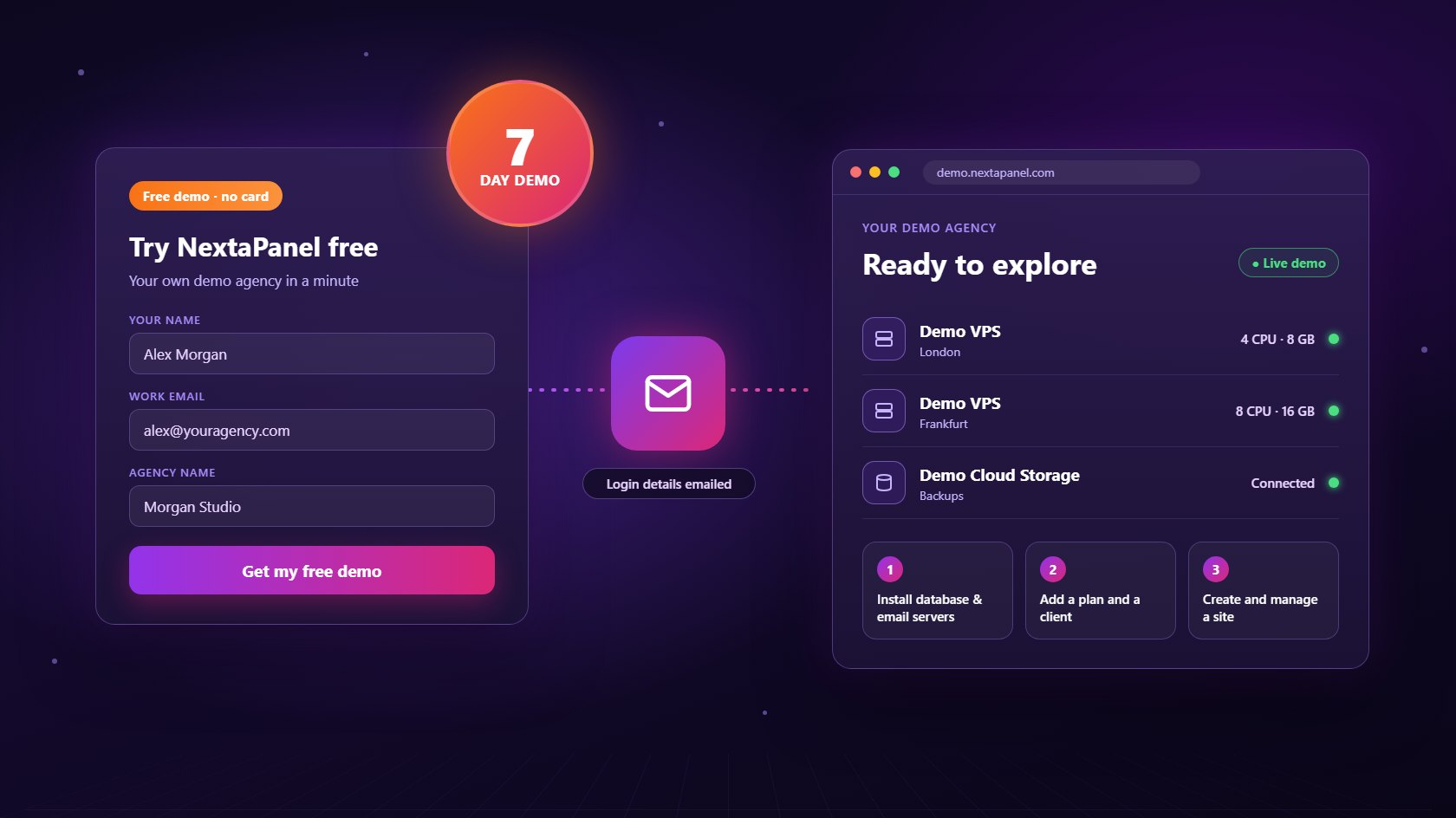
Choosing a hosting control panel from screenshots and feature lists is guesswork. You only find out whether a panel fits your agency when you click through it yourself: adding a client, creating a site, running a backup, sending an invoice. That's why NextaPanel, the white-label hosting control panel for agencies, gives everyone a free website hosting control panel demo. It's not a video or a shared sandbox. It's your own demo agency with its own servers, ready in about a minute. This guide explains how to get a free hosting control panel demo, what's inside it, what to try first and what happens when the 7 days are up.
A web hosting control panel is something your whole team and every client will use for years, so the cost of picking the wrong one is high. Moving dozens of client sites to a new panel later is slow, and clients notice when the login screen, the invoices and the support process all change at once. A hands-on demo lets you check the things a sales page can't show: how many clicks a routine job takes, whether the client area looks like your brand, and whether the billing matches the way you already charge.
Most panels make this hard. Some only offer a booked call, some need a credit card for a trial, and many need a real server before you can see anything at all. The free NextaPanel demo removes all three barriers. You don't need a VPS, a card or a call. If you are still comparing options, our guide to choosing a hosting control panel lists what agencies should check, and you can use the demo to test each point yourself.
The whole process takes about two minutes:
The email also lists the date your demo will be deleted, so you always know how much time is left. If the email hasn't arrived after a few minutes, check your spam folder before requesting again.
Every demo is a complete agency account, not a cut-down preview. It comes with two virtual servers that behave like real ones: a London VPS with 4 CPU cores, 8 GB of memory and 160 GB of disk, and a Frankfurt VPS with 8 cores, 16 GB and 320 GB. Both appear in your server management screen with live-looking resource charts, and demo cloud storage is already connected for backups.
From there, the whole panel is open to you. You can create web hosting sites on either server, install a database server and an email server and watch the install run, set up site plans, add clients and log in as one of them to see the client area your customers would use. Because billing and email are simulated, you can walk through a full checkout without paying anything. Every email the panel would send, from welcome messages to invoices, lands in Agency › Demo Outbox so you can read exactly what your clients would receive.
Seven days is plenty of time, but a short plan helps you get real answers on day one:
Want a guided version? The agency setup documentation follows the same order and explains each screen. It works just as well in the demo as in a live account.
The demo servers are simulated, so a few tools that need a real machine underneath are switched off on them: the web terminal, the file manager, database web tools, file downloads and Git push-to-deploy. Everything else works as normal. These limits only apply to the virtual servers. If you connect a real Ubuntu 22.04 or newer VPS during your demo, every feature works on it exactly as it would in a paid account, including the terminal and Git deploys. That's the best way to test performance on your own hosting provider before you commit.
After 7 days the demo agency and everything in it are deleted automatically. There's nothing to cancel and nothing is charged. When you're ready to host real client websites, create your agency account, connect a VPS from any provider and set up your plans the way you did in the demo. Pricing is one flat fee of $10 per server per month with every feature included, and the launch offer gives you your first months free.
If you're new to running your own servers, start with our guides to the VPS hosting control panel and setting up an agency hosting control panel step by step. You can also browse the full feature list, read the FAQs or contact us with questions. Planning to share this with your team? Bookmark this guide at nextapanel.com/blog/free-hosting-control-panel-demo.
Yes. The demo is completely free and needs no credit card. You fill in your name and work email, and your own demo agency is created straight away. It runs for 7 days and is then deleted automatically, so there is nothing to cancel.
No. Every demo agency comes with two virtual servers, one in London and one in Frankfurt, plus demo cloud storage for backups. You can install database and email servers, add clients and create sites without connecting a real machine. If you want, you can also connect a real Ubuntu VPS during the demo and it works exactly as it would in a paid account.
Because the demo servers are simulated, the features that need a real machine underneath are switched off on them: the web terminal, the file manager, database web tools, file downloads and Git deploys. Payments and emails are simulated too. Checkout completes without charging anything, and emails go to a Demo Outbox inside the panel instead of a real inbox.
The demo agency and everything in it are deleted automatically. When you are ready to host real client sites, create your agency account, connect your own server and start with the launch offer on the pricing page.
Each email address gets one demo. If you request another one with the same address, we email you a reminder to log in with your original details instead. If you have lost the password, use "Forgot password" on the demo login page.
Your own demo agency with two virtual servers, ready in a minute. Free for 7 days, no card and no server needed.
Start My Free Demo Explore NextaPanelGet your own demo agency in a minute - virtual servers, clients and sites, ready to explore. We'll email your login details.