
Published October 10, 2026 · 9 min read · How to grow from one server to many and keep it all in one dashboard
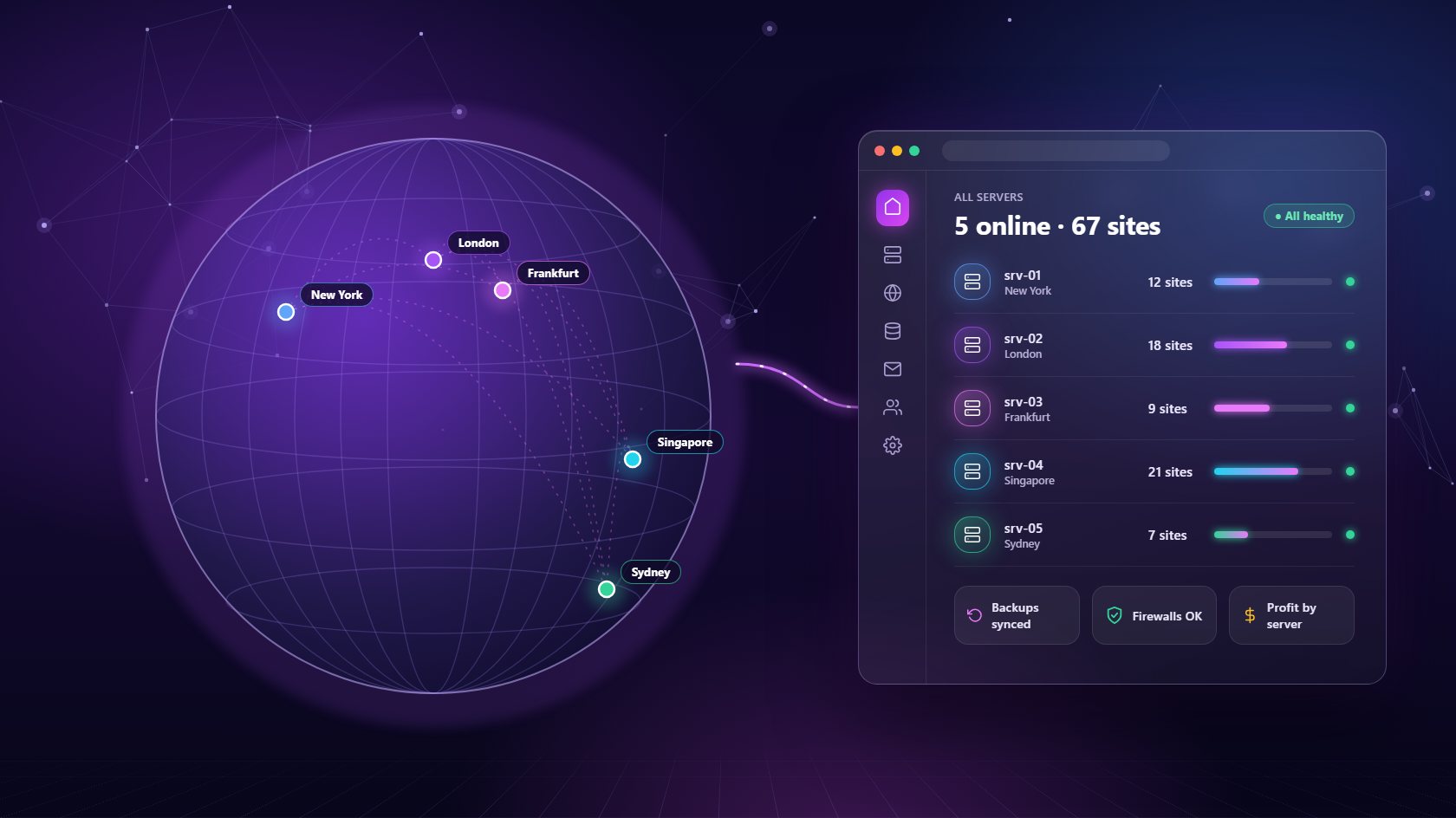
Most agencies start with one server, and for a while that's enough. Then a big client arrives, another region is needed, or the first machine simply fills up. Suddenly you're running three or four servers, each with its own login, its own settings and its own little surprises. A multi-server management panel brings all of them back into one place. This guide explains what a multi-server management panel does, when you need one, how to split sites sensibly across servers, and what to look for before you choose one.
A multi-server management panel is a single dashboard that connects to all of your servers and lets you manage them as one system. Instead of logging into each machine separately, you see every server in one list, with its location, health, resource usage and the sites running on it.
The difference from a normal control panel is scope. A typical panel is installed on one server and only knows about that server. If you have four machines, you have four panels, four sets of passwords and four places to check every morning. A multi-server management panel sits above all of them. You add a new server once, and from then on you can create sites on it, move work onto it, back it up and secure it from the same screen you use for everything else. For a small team, that's the difference between infrastructure that feels organized and infrastructure that slowly turns into a pile of sticky notes. It also means anyone on your team can find what they need without asking the one person who set everything up.
There's no magic number of sites that forces a second server, but there are clear signs. The most common is resources. If memory stays high most of the day or disk space keeps creeping toward full, your first server is telling you it needs help. The live charts in a multi-server management panel make these trends easy to spot weeks before visitors notice anything.
Other reasons are about risk and location. Putting every client on one machine means one hardware fault can take every site offline at once, so spreading clients across servers limits the damage of any single failure. Location matters too. If you have clients in Europe and North America, hosting each group close to its visitors makes pages load noticeably faster. Some agencies also give their biggest client a server of their own, both for performance and because it's an easy upgrade to sell. Whatever the reason, the moment you have two servers, managing them separately starts costing you time. That's exactly when a multi-server management panel starts paying for itself, and the benefit grows with every machine you add.
Once you have several servers, you need a simple rule for deciding which sites go where. Without one, sites end up scattered at random, and nobody can remember why a client lives on a particular machine. Pick a strategy that matches your business and stick to it.
The three most common approaches are by region, by site type and by client size. Splitting by region keeps sites close to their visitors - a European server for European clients, an American one for the rest. Splitting by site type separates small brochure sites from busy online shops, so a traffic spike on one shop never slows down dozens of quiet sites. Splitting by size gives large clients their own dedicated machine while smaller ones share. A good multi-server management panel supports all of these. When you add a client under a plan, it can place their sites on whichever server has room, and you can still choose a specific server when you need to. Write your rule down in one sentence and share it with the team, so placement decisions stay consistent even as you grow.
The real danger of running many servers isn't the extra cost - it's inconsistency. One server has backups set up perfectly, another was configured in a hurry and nobody checked it again. One has a tight firewall, another still has a temporary rule from a contractor two years ago. Problems hide in those gaps.
A multi-server management panel closes them by giving every server the same treatment. Backups from every machine can be sent to the same external storage, such as your own SFTP server, Backblaze or Hetzner storage, on a schedule you can see in one view. Firewall rules can be reviewed server by server from the same dashboard, so nothing gets forgotten. Every site gets automatic SSL, and crashed services are restarted automatically no matter which server they run on. This makes your monthly checks far quicker, too. Instead of logging into five machines, you scan one list, spot the server that looks different and fix it. Consistency is what makes a growing fleet feel safe rather than fragile, and it's very hard to achieve without a central panel.
Every server you add is a monthly bill, so it's worth knowing exactly what each one earns. Without that view, it's easy to keep paying for a half-empty machine or to overload a cheap one because nobody compared the numbers.
A multi-server management panel with built-in billing can show revenue by server alongside what each server costs you. If one machine hosts twenty paying clients and costs a fraction of their combined fees, it's clearly healthy. If another hosts only two small sites, you can move them elsewhere and cancel it. These numbers also help when you decide where to grow. You'll see which regions and which kinds of clients bring the best margin, and that can shape both your pricing and your next server purchase. Pricing for the panel itself matters as well. Some tools charge per site or per client, which means your costs rise on every server as you grow. A flat fee per server, like NextaPanel's $10 per server per month, keeps the math simple: one more server, one more small fixed cost, and every site on it is included.
Start with how easily you can add a server. It should take a few details - IP address, SSH port and a key or password - and the panel should handle the setup automatically. It should also work with servers from any provider, so you can use Hetzner in Europe, another company in Asia, and mix them freely without being locked in.
Next, check that the panel treats every server as part of one system: one client list, one billing view, one backup setup and one place to see health and alerts. Look for per-site flexibility too, such as choosing Apache or Nginx and switching PHP versions per site, so different servers don't force different rules. Finally, ask what happens when you retire a server. A good panel tears down its sites, databases and email cleanly, so nothing is left running by mistake. NextaPanel's multi-server management panel was built around exactly these needs. If you're still running a single machine, our guides to the server management panel and the VPS hosting control panel are good places to start.
It is a single dashboard that connects to all of your servers, so you can create sites, manage backups and security, watch resource usage and track costs across every machine without logging into each one separately.
There is no practical limit for most agencies. You add each server once with its IP address and SSH details, and it appears alongside the others. With flat per-server pricing, each extra server simply adds one fixed monthly cost.
Yes, with a provider-independent panel. NextaPanel works with any Ubuntu 22.04 or newer VPS, so you can combine servers from Hetzner, DigitalOcean, Vultr or others in different regions and manage them all together.
Connect servers from any provider and run sites, backups, security and billing across all of them in one place.
See Multi-Server ManagementGet your own demo agency in a minute - virtual servers, clients and sites, ready to explore. We'll email your login details.